Guides · Zapier
Look up, remind and cancel requests
Four formbase actions work on a request that already exists. A typical Zap finds the request by the id your system knows it by, then reminds or cancels it.
Last checked
You need a formbase connection in Zapier and a request created with an External ID, as in Send a request from a Zap. The same actions exist in the dashboard; see The Requests page.
Find a request by External ID
Your CRM knows the deal as deal-1042, not by formbase’s request ID. Add a formbase action with the event
Find Request
and map your id into External ID:
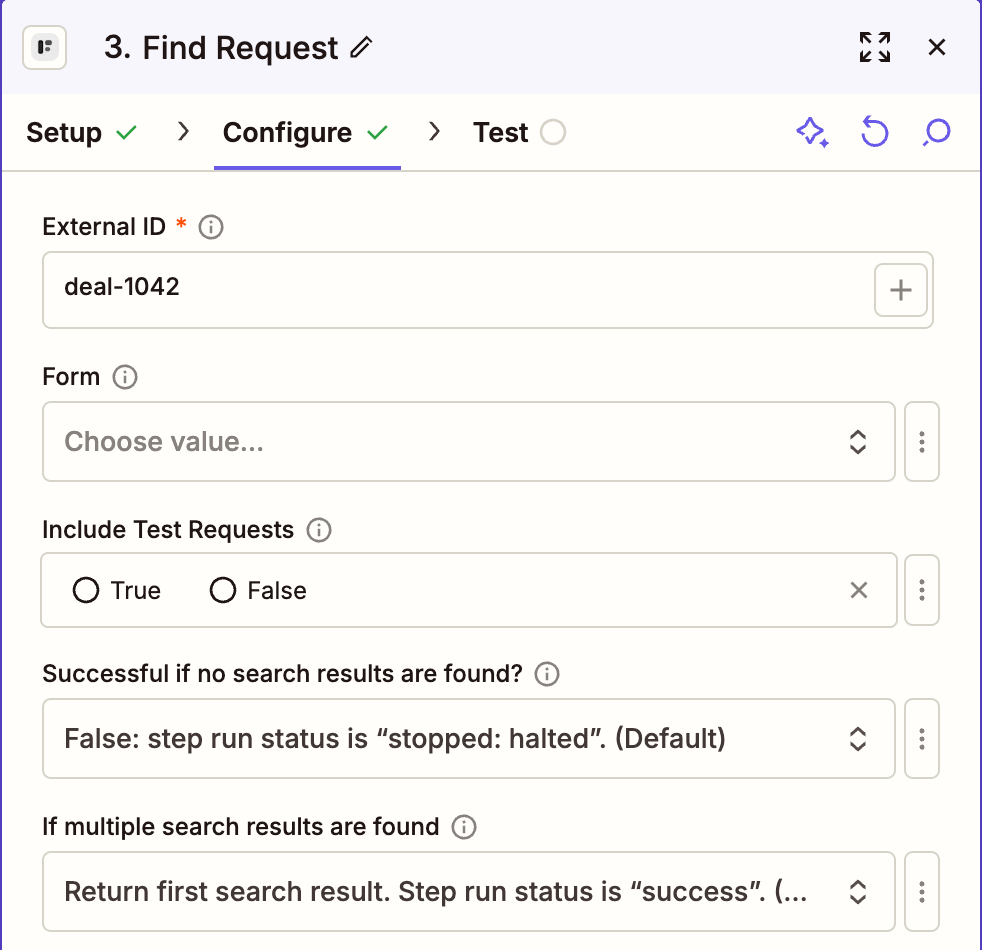
Form narrows the search to one form. Leave it empty to search the whole workspace.
Include Test Requests is off by default, so a request created with Test Request on is not found. Turn it on while you build the Zap with test requests.
If several requests share the External ID, the newest comes first, and Zapier uses it unless you change If multiple search results are found.
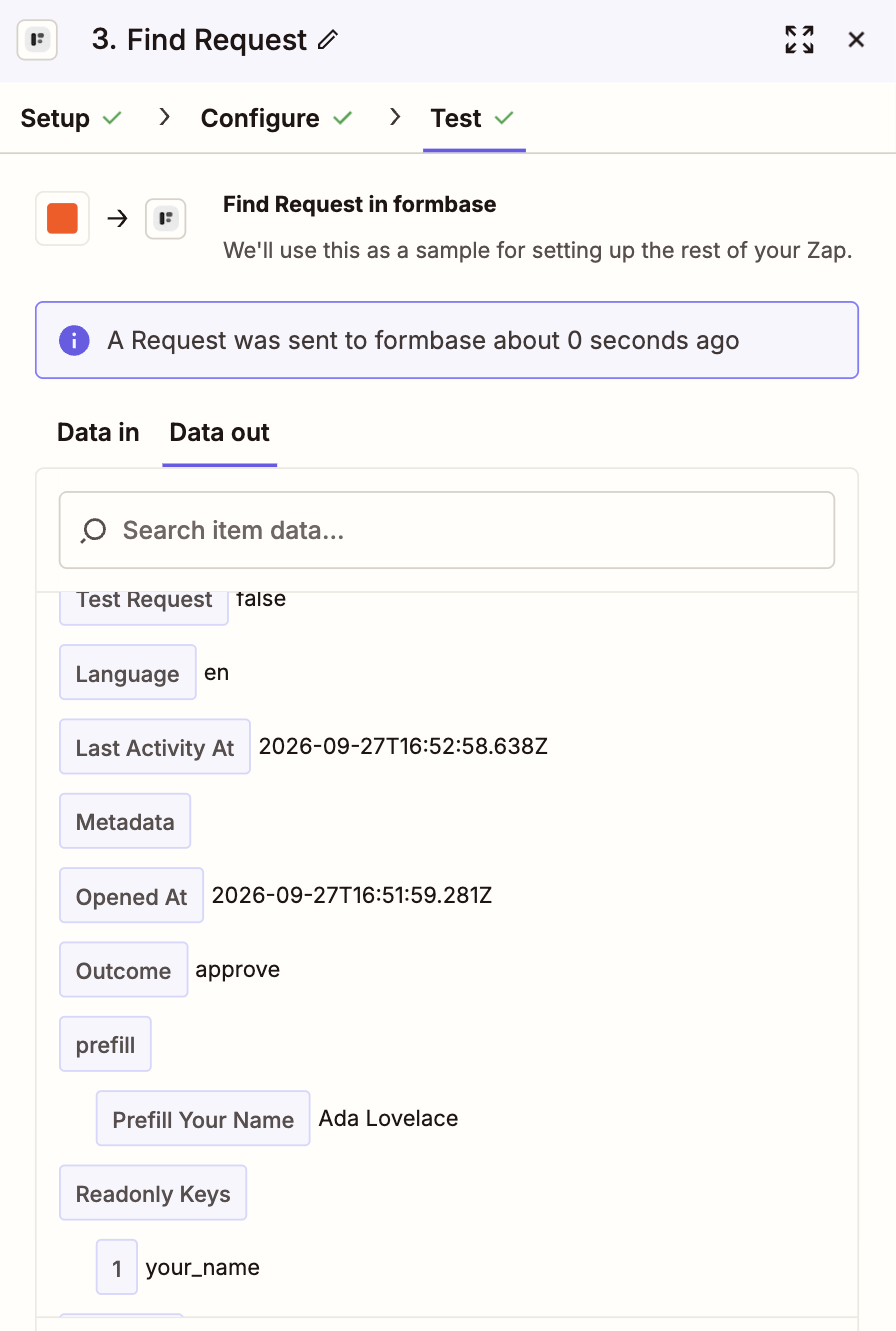
The result is the whole request: its status, outcome, recipient, timestamps, and what you prefilled and locked.
Read the answers with Get Request
Get Request takes a Request: map the Request ID from a Create Request step, a Find Request step or a request trigger. It returns the request plus its link, and once the request is completed, the answers. Pick the request’s form under Form so the answers are labelled with the question titles; without it they arrive under their field keys.
Send a reminder with Remind Request
Remind Request emails the recipient a reminder now. Scheduled reminders still go out as planned. It works when:
- the request is pending, has not passed its expiry date, and has a recipient email,
- the workspace is on Pro or Business,
the last reminder went out at least ten minutes ago, and the request has had fewer than eight reminders in total. See Chasing someone now.
A test request is never reminded.
Withdraw a request with Cancel Request
Cancel Request withdraws a pending request. The link stops working, and the recipient sees a withdrawn notice instead of the form. Fill in Reason to record why: it stays on the request and is carried by the Request Canceled trigger, so another Zap can tell your team.
Only pending requests can be canceled
A completed, expired or already canceled request stays as it is, and the step fails with an error such as This request is already canceled and cannot be canceled.