Guides · n8n (self-hosted)
Act on a request's outcome in n8n
n8n can hear about a request's outcome in two ways: a formbase Trigger that runs for every request to a form, or a Wait node that pauses the workflow that created the request. Both end in a Switch on approve, decline or changes.
Last checked
You need a formbase credential in n8n, and your n8n must be reachable from the internet over HTTPS; see Install the formbase node in n8n. To branch on a verdict, the form needs a Decision question. This guide uses an Approval form with one.
| Use it when | |
|---|---|
| formbase Trigger | Requests to the form are sent from anywhere: the dashboard, the API, an agent or another workflow. One published workflow handles all of them. |
| Wait for the Outcome | The workflow that creates the request should carry on with the answer, holding on to everything it knew before, like the record it was working on. |
Start a workflow from the trigger
1. Pick the event
Add a formbase Trigger, pick the credential and the form, and choose one of the request events under Event:
| Event | Runs when | Carries |
|---|---|---|
| Request Completed | The recipient submits the form. | The request, the outcome and every answer. |
| Request Expired | The request reaches its expiry date unanswered. | The request only. |
| Request Canceled | Someone cancels the request, from the dashboard, the API or a Cancel request node, or formbase cancels it because the form was moved to trash. | The request and the cancel reason. |
2. Test it with a real request
A test request never starts a request trigger, so send a real one with Delivery set to None, as in Send a request from an n8n workflow, and open its link yourself. Then click Execute step and submit the form within two minutes.
The event carries a data.request object next to the answers. Its outcome is approve,
decline or changes, and its externalId is the ID you set, so you can find the record the request
was about. Every field is in the callback payload.
Expired and canceled events are hard to catch with Execute step. Publish the workflow and check Executions instead.
3. Branch on the outcome
Add a Switch node with one routing rule per verdict. Each rule compares {{ $json.data.request.outcome }}
with a value; turn on Rename Output to name the branch after it:
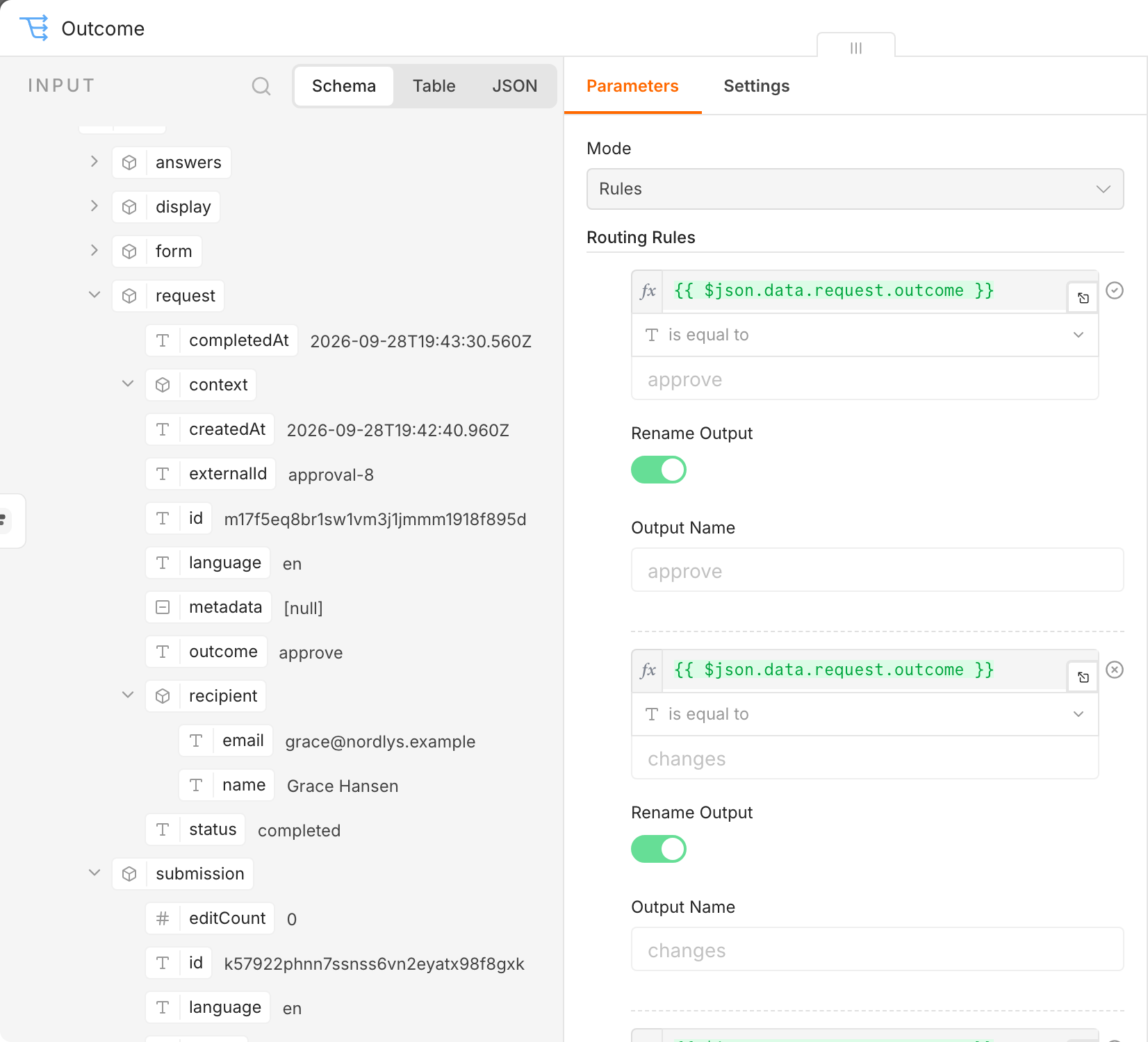
Branch on data.request.outcome rather than data.answers.decision: it is missing, not some other value, when the
request expired or was canceled. Compare values, never the labels in data.display: a label changes when you rename the option
or the recipient answers in another language.
Connect a node to each branch, then Publish the workflow. From then on every completed request to the form runs it.
Wait for the outcome in the same workflow
Here the workflow that sends the request pauses until the recipient answers, then carries on. It takes three changes to the workflow from Send a request from an n8n workflow.
1. Turn on Wait for the Outcome
In the Create request node, turn on Wait for the Outcome. The node sends formbase this execution’s resume URL as the request’s callback. Leave Callback URL empty; the node refuses both at once.
Each execution has its own resume URL, so an External ID reused from an earlier execution fails. Include
{{ $execution.id }} in it, or leave it empty.
2. Add a Wait node
Add a Wait node right after it, with Resume set to On Webhook Call and the HTTP method
left at POST.
3. Branch on the event
Add a Switch after the Wait node. The Wait node puts the event under body, so compare
{{ $json.body.data.request.outcome }}. To tell a completed request from an expired or canceled one, compare
{{ $json.body.type }} with request.completed, request.expired or request.canceled.
Run the workflow. The execution stops at the Wait node until the recipient submits, then resumes down the matching branch:
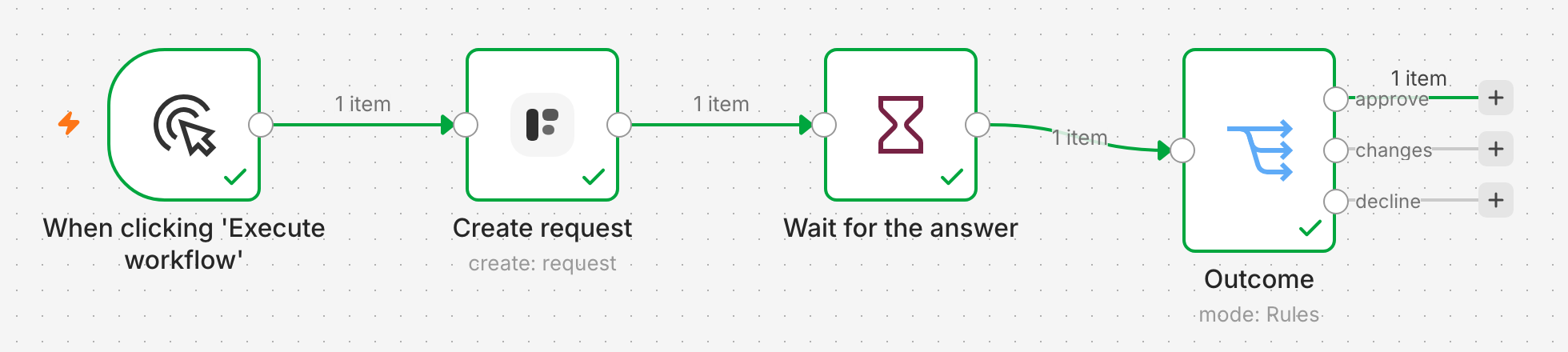
A run from the editor waits for a real answer too. Test Mode works here: the callback of a test request still resumes the workflow.
A request expires after 30 days unless you set Expires At, and expiry resumes the execution with
request.expired. Set Expires At to end the wait sooner.The Wait node does not check the
X-formbase-Signatureheader; it relies on the resume URL being hard to guess. If that is not enough, use the formbase Trigger, which checks every event.
If nothing runs
It was a test request. A request created with Test Mode on, or with Try it yourself, never starts a request trigger. Only its callback fires.
The request was for another form. The trigger listens to the form you chose in it.
The workflow is not published, or its credential reaches another workspace. See the checks in the public link guide.
Create request fails with callbackUrl is not allowed.
Your n8n hands out an
http://or private resume URL. See Tell n8n its public address.The Wait node never resumes. formbase cannot reach the resume URL, for example because the tunnel is down or the proxy blocks
/webhook-waiting/.