Guides · n8n (self-hosted)
Install the formbase node in n8n
formbase for n8n is a community node, published on npm as n8n-nodes-formbase. This guide installs it on a self-hosted n8n and sets the address formbase uses to reach your workflows.
Last checked
Every n8n guide was checked on self-hosted n8n 2.40, running in Docker, with version 0.10.1 of the node. Everything that depends on where n8n runs is on this page. The other guides work the same once the node is installed.
Before you start
- n8n 2.30 or later. The formbase credential needs it.
A formbase account. Everything in these guides works on the Free plan except email invitations, reminders and abandoned submissions, which need Pro or Business.
Self-hosted n8n
A self-hosted n8n needs two things before it can install the node:
- The owner account or an admin account. Only the owner and admins can install community nodes.
A public HTTPS address, from a reverse proxy or a tunnel. formbase sends events and request callbacks only to
https://URLs on the public internet. An n8n that is reachable only onlocalhostcan connect but never receives anything.
1. Tell n8n its public address
n8n builds the URLs it hands to formbase from its own settings, not from the address in your browser. Set these environment variables on the n8n container or process:
WEBHOOK_URL: the public HTTPS address, with a trailing slash, likehttps://n8n.example.com/. n8n builds the URL of a published trigger and the resume URL of Wait for the Outcome from it.N8N_EDITOR_BASE_URL: the same address. n8n builds a trigger’s test URL for Execute step from it, and the OAuth Redirect URL of the formbase credential.N8N_PROXY_HOPS: set it to1when n8n runs behind one reverse proxy or tunnel, so n8n reads the proxy’s forwarded headers.
With Docker, that looks like this:
docker run -d --name n8n -p 5678:5678 \
  -e WEBHOOK_URL=https://n8n.example.com/ \
  -e N8N_EDITOR_BASE_URL=https://n8n.example.com/ \
  -e N8N_PROXY_HOPS=1 \
  -v n8n_data:/home/node/.n8n \
  docker.n8n.io/n8nio/n8n
With docker compose or an npm install, set the same variables in n8n’s environment. Point your proxy or tunnel at port 5678,
pass /webhook/, /webhook-test/ and /webhook-waiting/ through unchanged, and open n8n through the
public address from then on.
VALIDATION_ERROR: targetUrl must use https
formbase refuses to send events to an http:// URL or a private network address. If a trigger shows this error on
Execute step, N8N_EDITOR_BASE_URL is not set; on Publish, WEBHOOK_URL is
not. Set that variable, restart n8n, and try again. If you change WEBHOOK_URL later, unpublish and publish each formbase
workflow again so its trigger registers the new address.
2. Install the community node
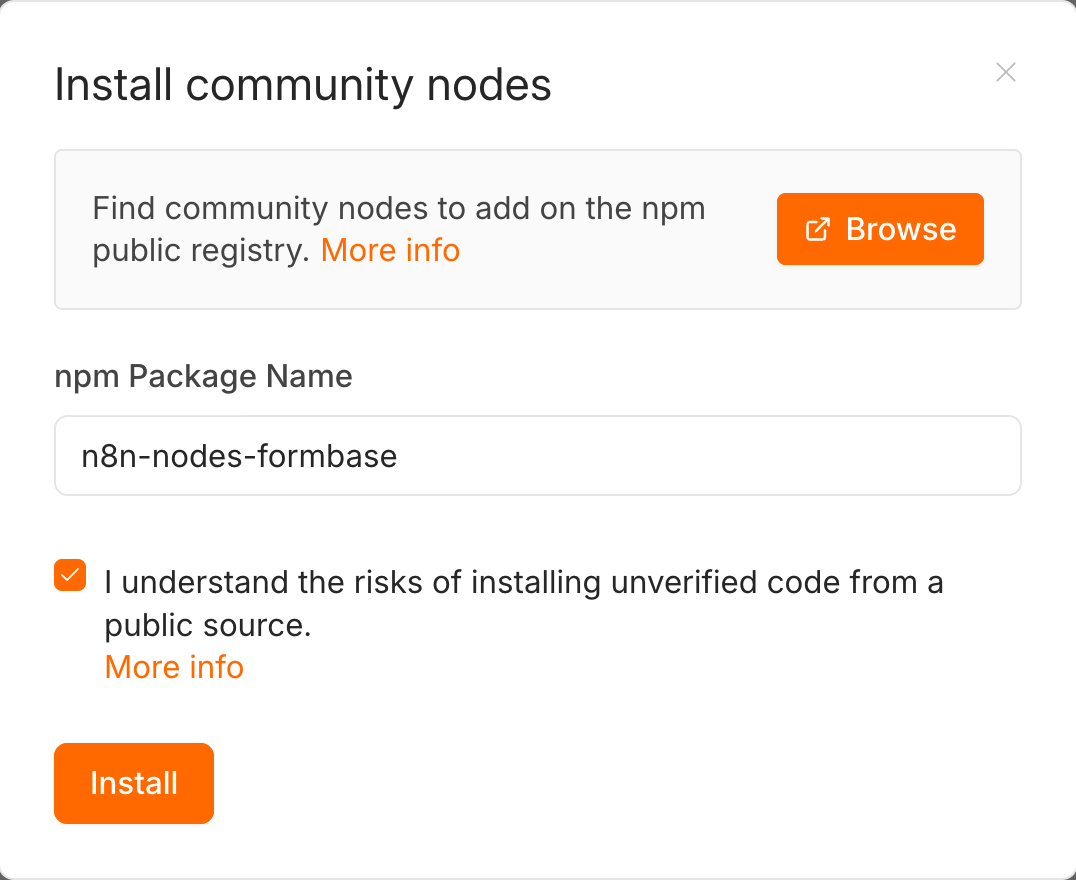
Open Settings › Community nodes and click Install. Type n8n-nodes-formbase
under npm Package Name, tick the box that says you understand the risks of installing unverified code, and click
Install.
After a few seconds the package appears in the list with its two nodes:
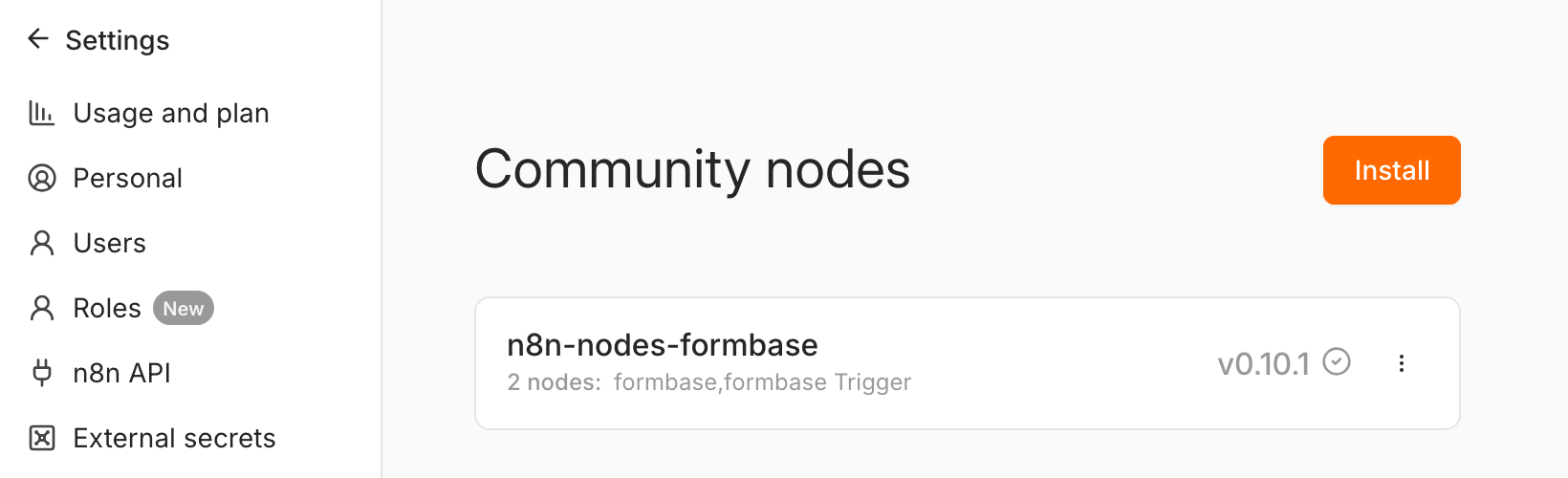
Update or uninstall the package from the same list. If Community nodes is missing from Settings, your n8n was started
with N8N_COMMUNITY_PACKAGES_ENABLED=false; remove that setting.
n8n Cloud
Not available on n8n Cloud yet
n8n Cloud installs only community nodes that n8n has verified, and the formbase node is not verified yet. Until it is, use a self-hosted n8n, or call the REST API from an HTTP Request node. A Cloud instance already has a public HTTPS address, so once the node is available there, only the install steps on this page change.
Check the node
Open a workflow, click + and search for formbase. The node details show six actions and six triggers:
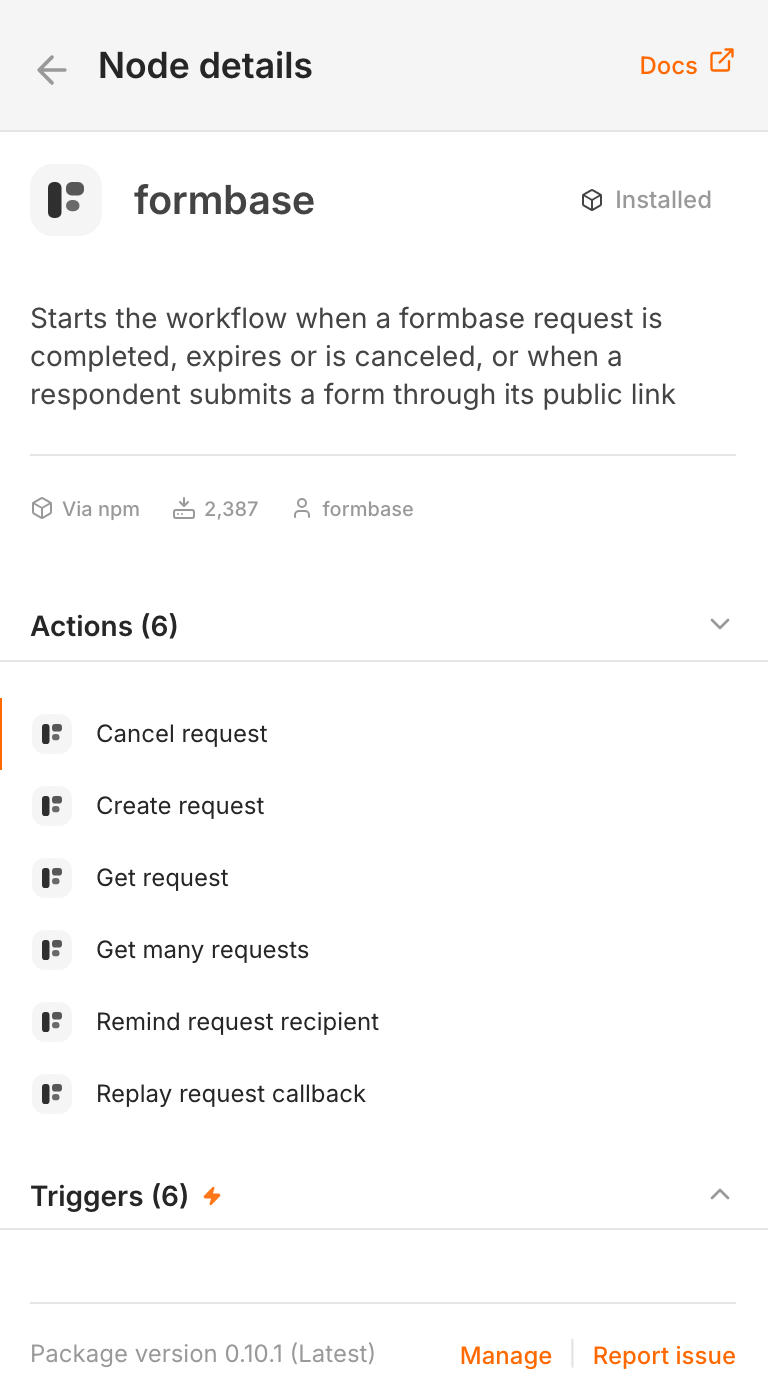
formbase Trigger starts a workflow on a public link submission that is created, updated or abandoned, or on a request that is completed, expires or is canceled.
formbase creates a request, gets one or many, reminds the recipient, cancels a request, and replays its callback.