Guides · n8n (self-hosted)
Look up, remind and cancel requests in n8n
Five formbase actions work on requests that already exist. A typical workflow finds the request by the ID your system knows it by, then reads, reminds or cancels it.
Last checked
You need a formbase credential in n8n and a request created with an External ID, as in Send a request from an n8n workflow. The same actions exist in the dashboard; see The Requests page.
Find a request with Get many requests
Your system knows the supplier as SUP-1042, not by formbase’s request ID. Add a formbase node, pick
Get many requests, and filter by the External ID you set when you created the request:
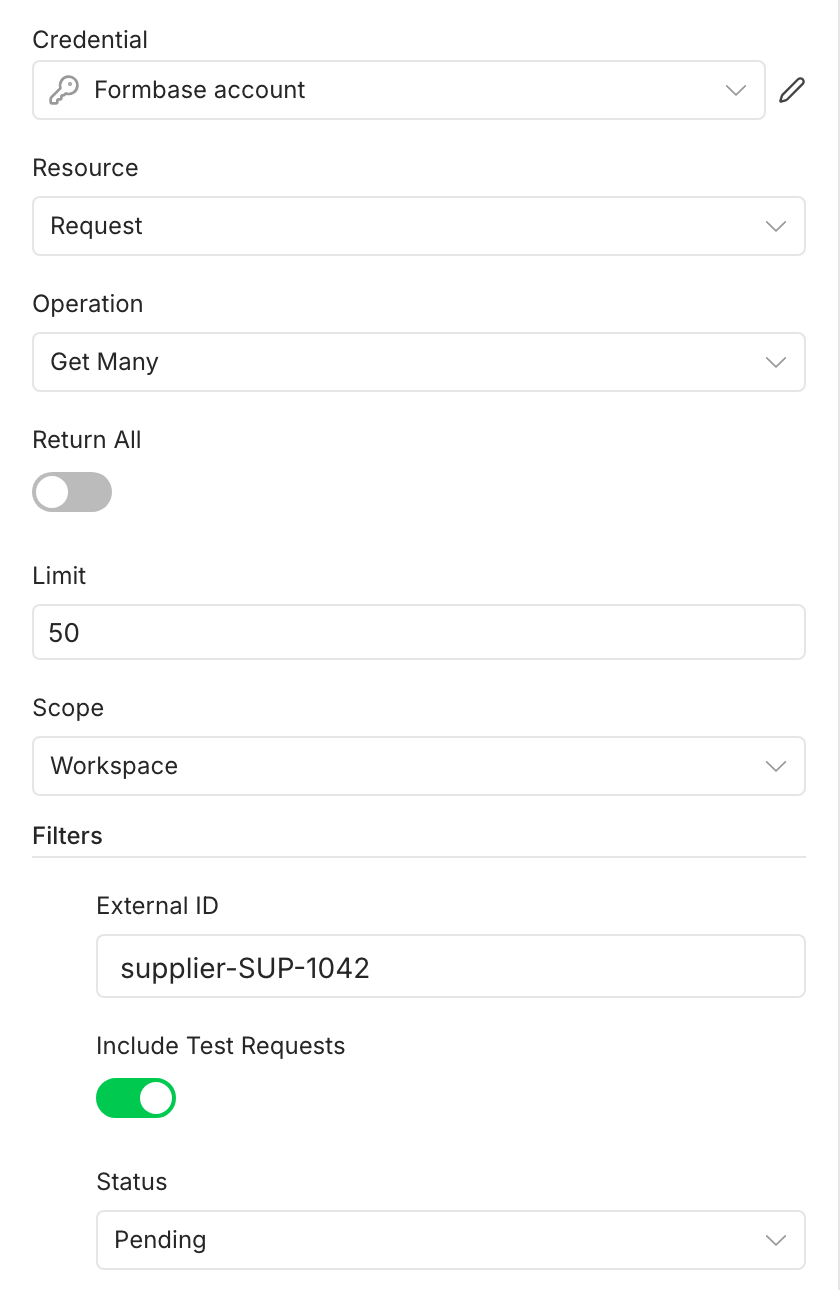
Scope is Form, the default, which then asks for the form, or Workspace, every request the credential can reach.
Filters narrow the list by External ID, Status or Outcome. Include Test Requests is off by default, so a request created with Test Mode on is not found. Turn it on while you build the workflow with test requests.
The newest request comes first. Limit caps the number of items; Return All fetches every page.
Each request is one output item, so the nodes after it run once per request. When nothing matches, the node outputs no items and the
workflow stops there; turn on Always Output Data in the node’s settings to carry on. Every node below takes the request
as Request › By ID {{ $json.id }}, or pick one of the newest requests under
From list.
Read a request with Get request
Get request returns the request: its status, outcome, recipient, timestamps, what you prefilled and locked, and its link.
Once it is completed, it also carries answers and display at the top level, as
{{ $json.answers }}. Unlike the events, its timestamps are Unix time in milliseconds.
Send a reminder with Remind request recipient
Remind request recipient emails the recipient a reminder now. Scheduled reminders still go out as planned. It works when:
- the request is pending, has not passed its expiry date, and has a recipient email,
- the workspace is on Pro or Business,
the last reminder went out at least ten minutes ago, and the request has had fewer than eight reminders in total. See Chasing someone now.
A test request is never reminded. The node fails with CONFLICT: This is a test request, so nothing is emailed for it; a reminder has nobody to write to.
Withdraw a request with Cancel request
Cancel request withdraws a pending request. The link stops working, and the recipient sees a withdrawn notice instead of
the form. Fill in Reason to record why: it comes back as cancelReason on the request and in the
Request Canceled event, so another workflow can tell your team.
Only pending requests can be canceled
A completed, expired or already canceled request stays as it is, and the node fails with an error such as This request is already canceled and cannot be canceled.
Send the callback again with Replay request callback
If a request had a callback URL and your receiver missed the delivery, Replay request callback sends the callback of a
completed, expired or canceled request again. It returns an eventId, the same ID as the first delivery, so a receiver that
deduplicates on it acts only once. See retries.
- A replay goes to the request’s callback URL only. A formbase Trigger subscription retries on its own and is not replayed.
A request created with Wait for the Outcome has the resume URL of one execution as its callback. Once that execution has finished, the URL is gone, so a replay helps only while the execution is still waiting.