Guides · n8n (self-hosted)
Connect formbase to n8n
An n8n credential signs in to one formbase workspace. You create it once; every formbase node in your workflows can then use it.
Last checked
Before you start
The formbase node installed on your n8n. See Install the formbase node in n8n, which also covers what your n8n needs first.
- A formbase account that is a member of the workspace you want to connect.
At least one published form in that workspace.
1. Create the credential
Add a formbase node to a workflow, open Credential and click Create new credential. You can also start from Overview › Credentials › Create and search for Formbase OAuth2 API.
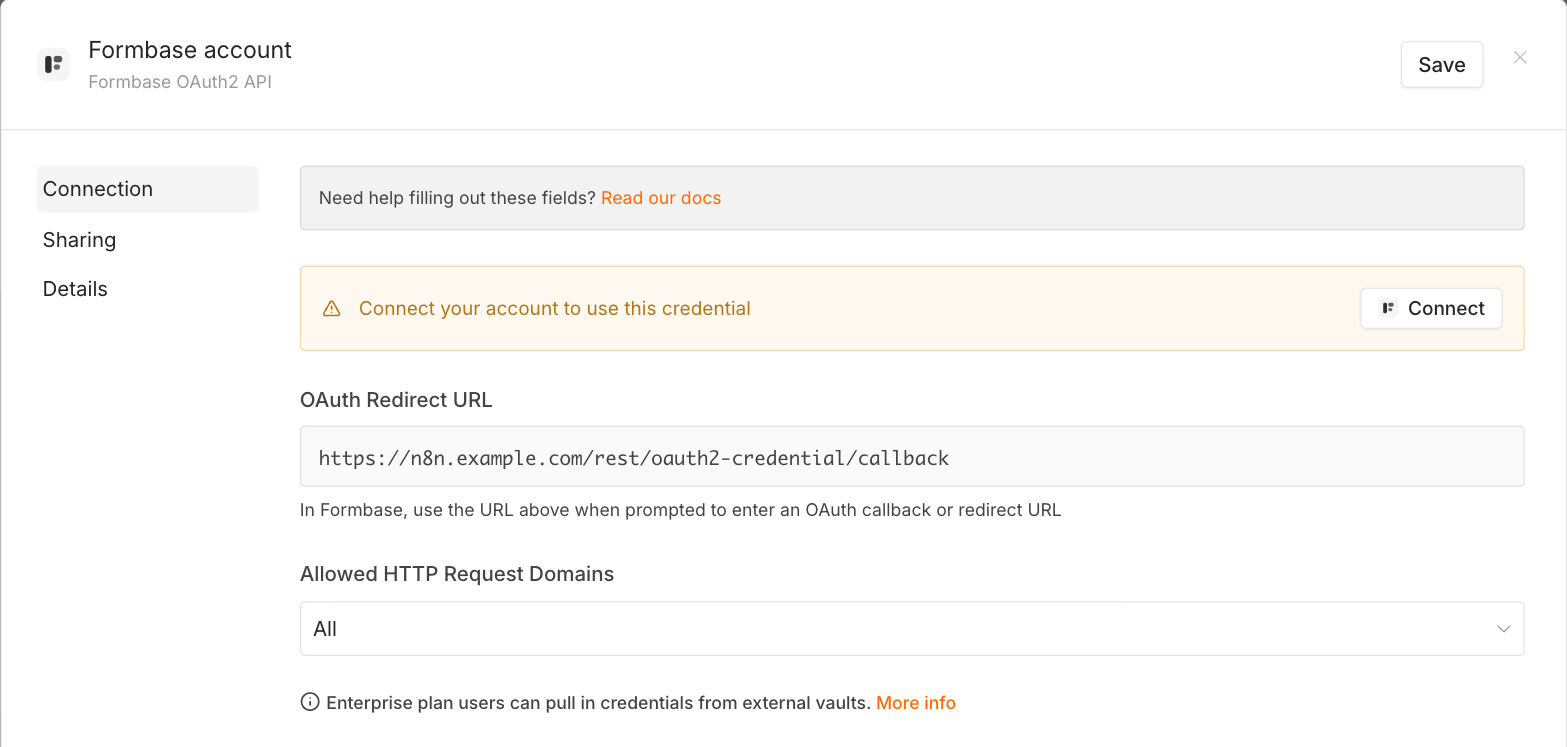
There is nothing to fill in. n8n registers itself with formbase when you click Connect, including the OAuth Redirect URL shown here. The note below that URL asks you to enter it in formbase; you can ignore it, because formbase has no place to paste it.
2. Sign in and pick the workspace
Click Connect. n8n opens a formbase window. If you are not signed in to formbase in this browser, sign in first. formbase then shows what n8n may do and asks which workspace to connect:
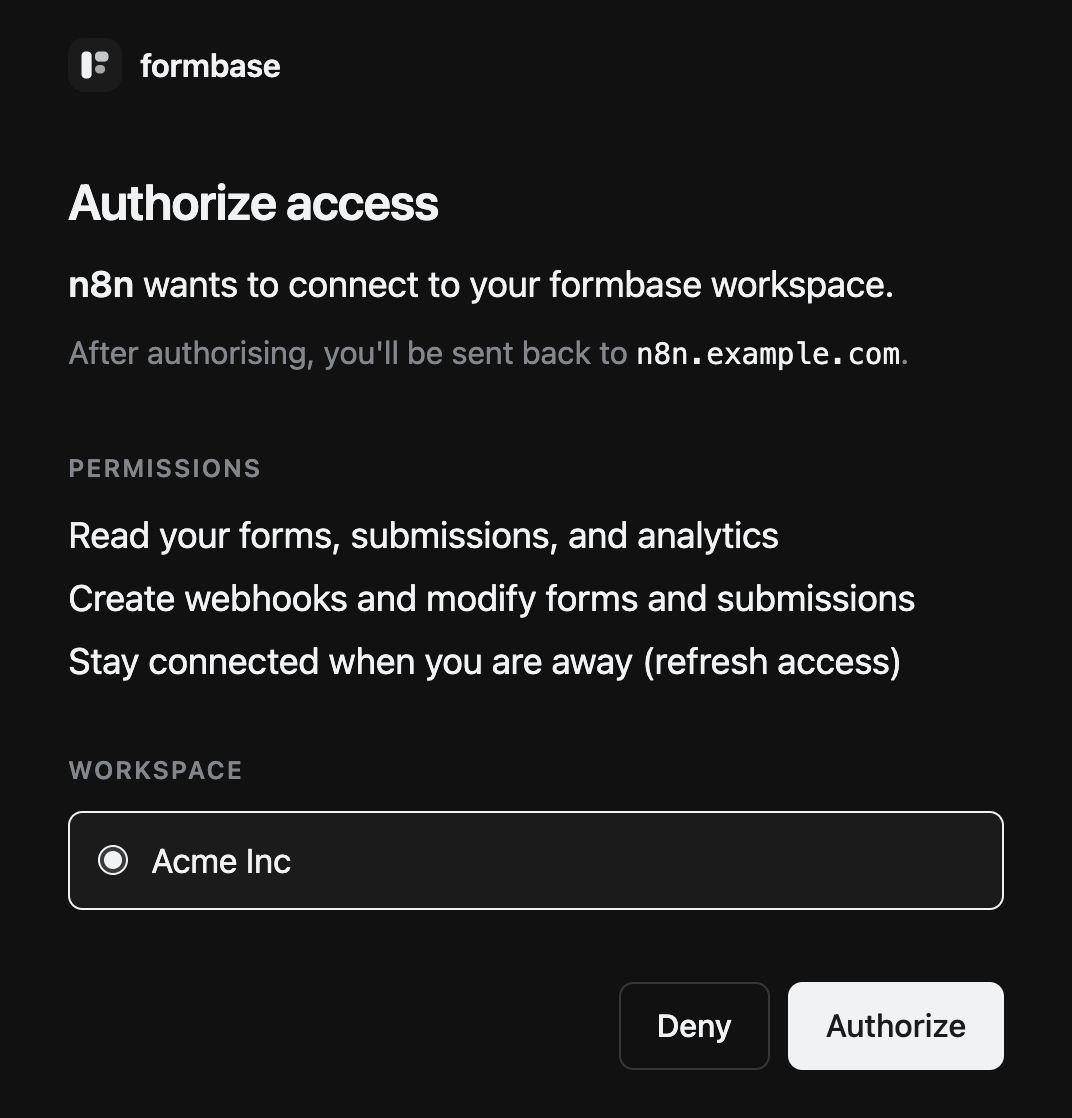
Choose the workspace under Workspace and click Authorize. The window reports that the connection succeeded, and the credential in n8n shows as connected. Save it. If you connect more than one workspace, rename each credential after the workspace it reaches.
One credential, one workspace
To use a second workspace, create a second credential and pick the other workspace on this screen. Each formbase node then uses the credential you choose in it.
3. Check the connection
Add a formbase Trigger and pick the credential. The form list shows the forms of the connected workspace. A form marked (not published) sends no events and takes no requests until you publish it.
![The formbase Trigger's form dropdown open, listing [Guide] Supplier onboarding and Approval](/guides/n8n/n8n-choose-form.png)
Disconnect
In n8n, delete the credential under Overview › Credentials. Workflows that use it stop until you pick another credential in each formbase node.
Deleting it in n8n does not end n8n’s access on the formbase side. In formbase, open OAuth and API Keys, click the bin icon next to n8n under Connected apps, and confirm with Disconnect.