Getting Started
Share a public link
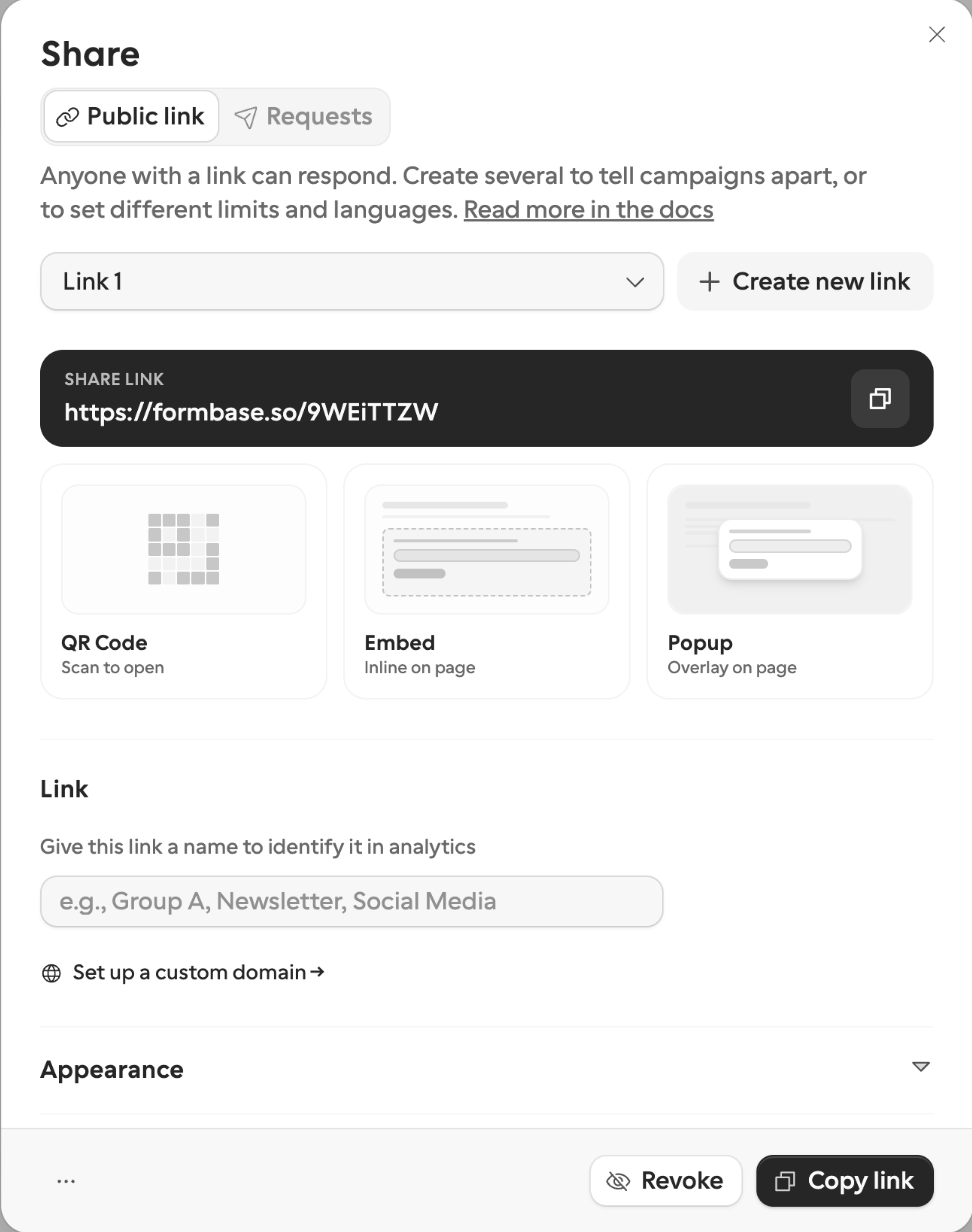
The second channel: a share link anyone can open, any number of people, any number of times. Same form, same answers inbox — no named recipient and no callback.
Copy the link
- 1
Open Share → Public link
Publishing already created the form's first share link. Open Share and pick the Public link channel to find it.
- 2
Copy it
That URL is live. Open it in a new tab and answer it once — that is the first row you will see on the next page. Then send it, post it, or put it behind a button.
- 3
Name it if you plan to make more
One form can have several share links, each with its own settings and analytics. Create new link adds one; Link name labels it — "Newsletter", "Social Media". The name is yours only; respondents never see it.
Three ways to put it in front of people
| Way | Good for | Where to find it |
|---|---|---|
| Link | Email, chat, social posts | Copy link, at the top of the Public link channel |
| Embed or popup | Your own website or landing page | The Embed and Popup cards under the link |
| QR code | Print, packaging, an event stand | The QR Code card, downloadable as an image |
Per-link settings
Each share link carries its own settings, grouped into Link, Query parameters, Appearance, and Limits:
Set expiration date — the link stops working after this date.
Limit response slots — how many response slots this link hands out. A started response claims a slot even if it is never submitted. Response limits →
Default language — which translation the link opens in; respondents can still switch from the picker.
Query parameters — UTM values and hidden-field values appended to the URL, so you can tell campaigns apart. Hidden fields →
A link with responses is revoked rather than deleted: it stops accepting new ones but keeps its analytics, and you can re-activate it later.
Which channel should this be?
Use a share link when anyone may answer and you do not know who in advance. Use a request when one named person owes you one answer and your workflow needs to know when it arrives. Both spend from the same monthly allowance, and both land in the same inbox.