Guides · n8n (self-hosted)
Start an n8n workflow from public link submissions
This guide builds a two-node workflow: a new submission to a supplier onboarding form arrives in a formbase Trigger, and an Edit Fields node picks out the answers. Put your email, Sheets, Slack or CRM node after it.
Last checked
You need a formbase credential in n8n and a published form with a share link. Your n8n must be reachable from the internet over HTTPS; see Install the formbase node in n8n. A submission to a request link does not start these workflows; see Act on a request’s outcome in n8n for that.
1. Add the trigger
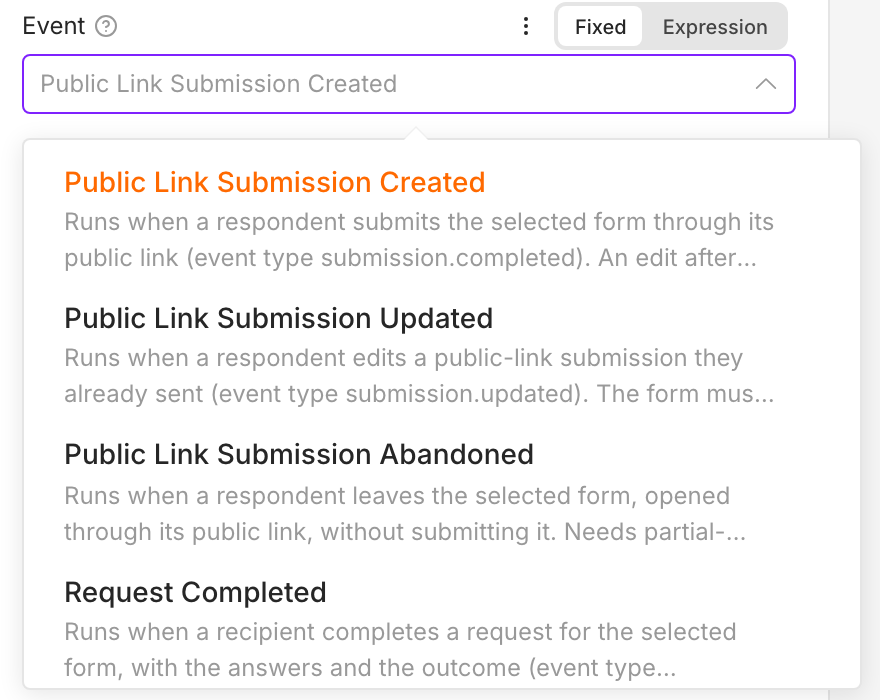
Create a workflow, click +, search for formbase and pick formbase Trigger. Choose the credential, the form, and one of the three public link events under Event:
| Event | Runs when | Needs |
|---|---|---|
| Public Link Submission Created | A respondent submits the form through a share link. | Nothing extra. |
| Public Link Submission Updated | A respondent edits a submission they already sent. | Edit after submit turned on for the form. |
| Public Link Submission Abandoned | A respondent leaves the form unfinished for the time under Consider Abandoned After (12 hours to 1 week). formbase checks hourly, so the run can come up to an hour later. | A Pro or Business plan, which saves partial submissions. |
2. Listen for a test event
Click Execute step. The node shows Listening for test event, and formbase starts sending this form’s events to the node’s test URL for two minutes. Open the form’s share link in another tab and submit it within that time. The submission arrives in the node within seconds:
![The formbase Trigger after a test event: Form [Guide] Supplier onboarding, Event Public Link Submission Created, and the output with id, type submission.completed, test false and data › answers holding company_name Nordlys Tekstil AS, contact_email, vat_number, the payment terms answer yes, and the uploaded certificate file](/guides/n8n/n8n-submission-output.png)
n8n has no sample record: the test is a real submission, and test is false. Every answer appears twice:
data.answers holds the value a workflow compares, under the question’s field key: an option key like
yes, a number, a date, or a list of files.data.display holds the text a person reads, like
Yes.
Use display in messages and answers in conditions. See the webhooks reference for both.
Abandoned submissions arrive hours later, so Execute step cannot catch one. For that event, publish the workflow and check Executions.
3. Pick out the answers
Add an Edit Fields (Set) node after the trigger. Drag answers from the input panel into Fields to Set, or type the expressions yourself:
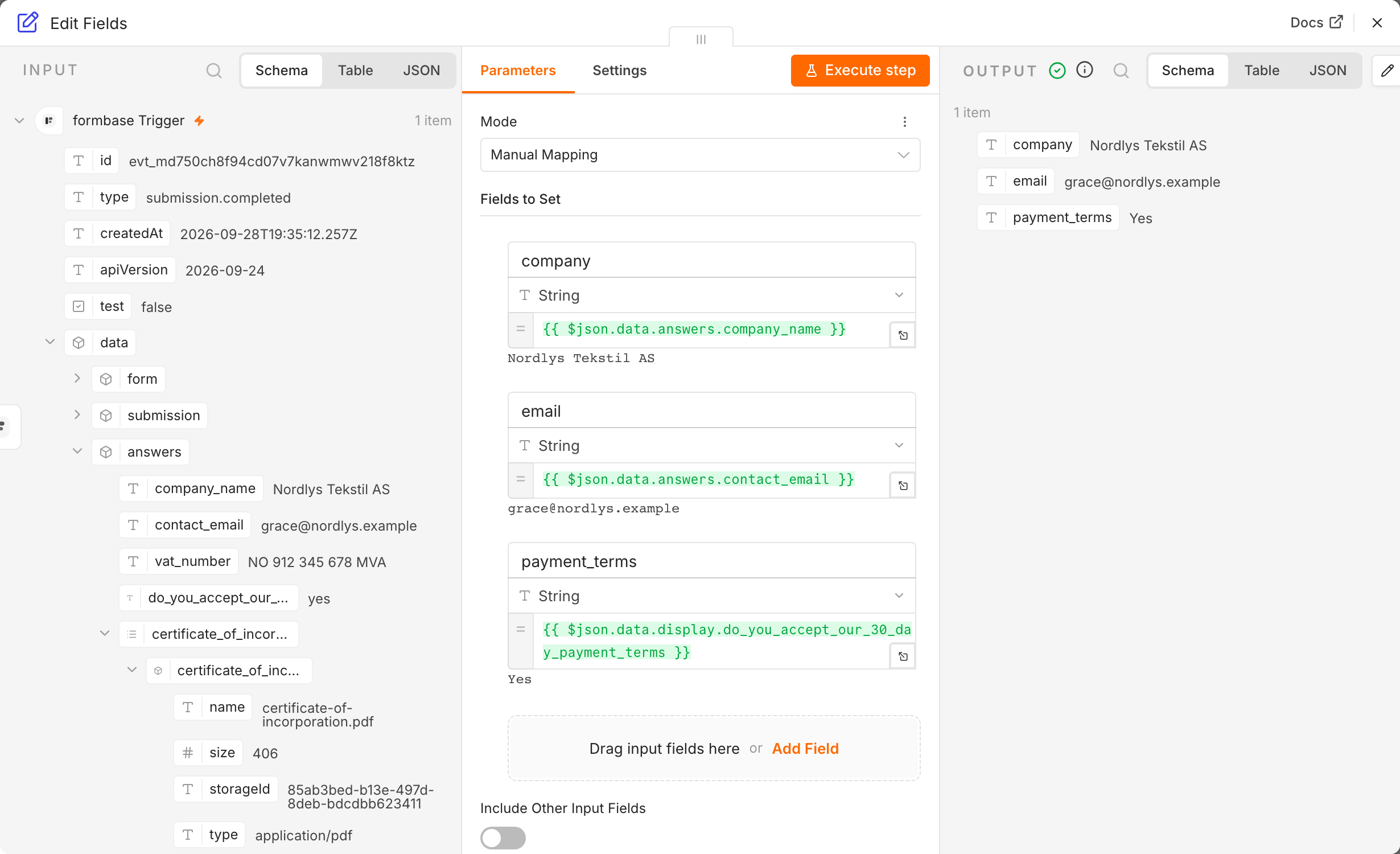
The next node, say Gmail or Google Sheets, reads {{ $json.company }} and the other fields from here. When a question is
renamed, its field key stays the same, so these expressions keep working.
4. Publish and check a real run
Click Publish, give the version a name, and confirm. formbase now sends every new submission to the workflow’s production URL. Unpublishing the workflow stops that.
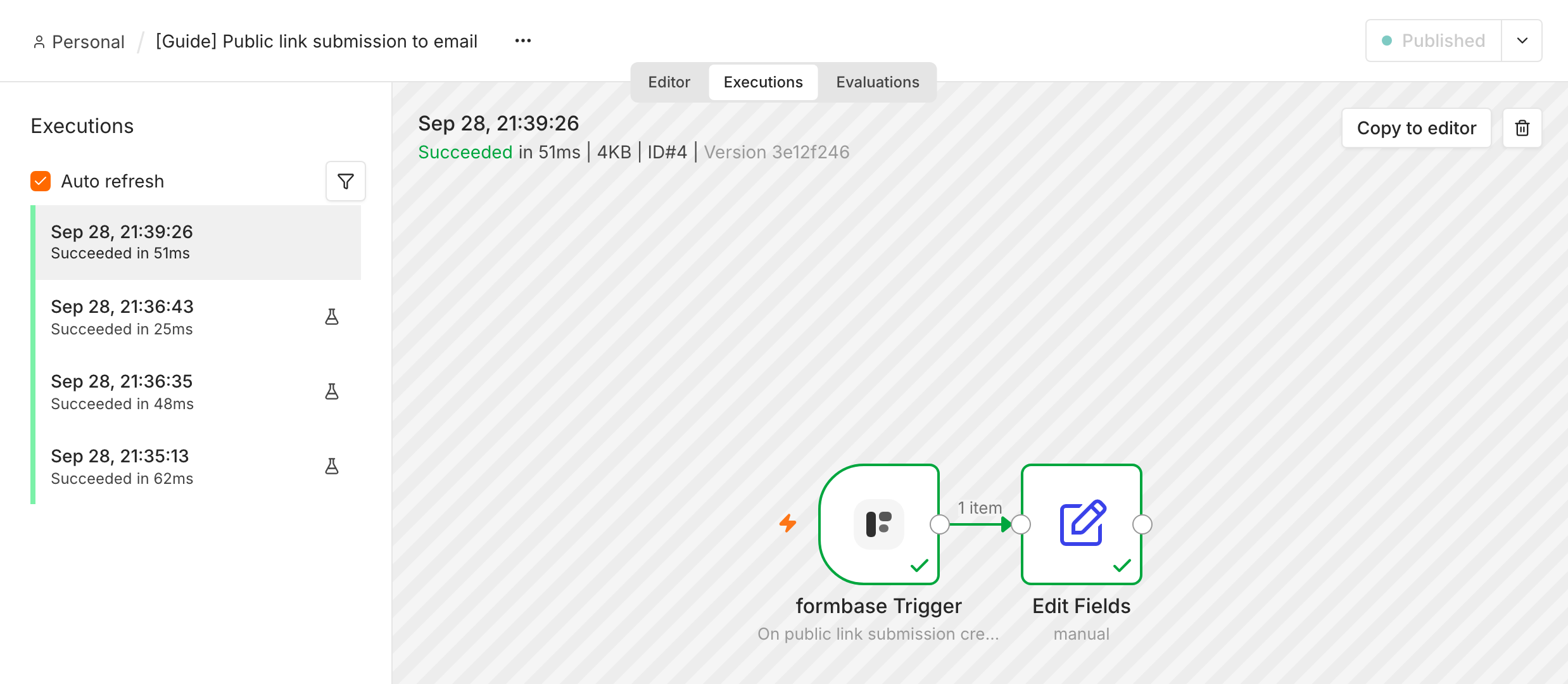
Submit the form once more and open the Executions tab. The run appears within seconds. Runs you started with Execute step carry a flask icon; a production run has none:
If the workflow does not start
The form was submitted through a request link. That runs Request Completed, not Public Link Submission Created.
The workflow is not published. Only Execute step listens while the workflow is a draft, and only until the first event arrives or two minutes pass.
The trigger shows targetUrl must use https.
Your n8n hands out an
http://or private URL. See Tell n8n its public address.The credential reaches another workspace. The trigger listens to the form in the workspace its credential points at.
Checking the signature
The formbase Trigger checks the X-formbase-Signature header of every event and rejects any that fails. Keep the n8n host’s
clock accurate: an event signed more than five minutes earlier is rejected too.