Guides · AI agents
Connect an AI agent to formbase
An AI agent reaches formbase over MCP, the protocol AI tools use to call other apps. You paste one URL, sign in, and pick a workspace; the agent can then build forms, send requests and read answers in that workspace.
Last checked
Before you start
- A formbase account that is a member of the workspace you want to connect.
An AI tool that supports remote MCP servers. Some tools limit this to certain plans; the table below links to each tool’s own guide.
An agent’s work spends no formbase AI credits; your AI tool bills you under its own pricing. See AI credits & usage.
1. Add the formbase server to your AI tool
Every tool asks for the same thing, the server URL:
https://api.formbase.so/api/mcpLeave any client ID, secret or token field empty. The tool finds the sign-in page from the server and registers itself. Where to paste the URL depends on the tool:
| Tool | Where to add the URL | Official guide |
|---|---|---|
| Claude (web, desktop and mobile) | Customize › Connectors › + › Add custom connector. A connector added on claude.ai also works in the desktop and mobile apps. On Team and Enterprise, an owner adds it first under Organization settings › Connectors; on Free you can add one custom connector. | Anthropic |
| Claude Code | Run claude mcp add --transport http formbase https://api.formbase.so/api/mcp, then type /mcp in Claude Code to sign in. | Anthropic |
| ChatGPT | Turn on developer mode, then Settings › Apps › Create. Creating and changing forms needs ChatGPT Business, Enterprise or Edu, on the web. On Business, a workspace admin turns on developer mode first. | OpenAI |
| Codex | Run codex mcp add formbase --url https://api.formbase.so/api/mcp, then codex mcp login formbase. | OpenAI |
| Cursor | Click Add to Cursor. Or add {"mcpServers": {"formbase": {"url": "https://api.formbase.so/api/mcp"}}} to .cursor/mcp.json in your project, or to ~/.cursor/mcp.json for every project. | Cursor |
| VS Code | Run MCP: Add Server from the Command Palette and choose HTTP. | Microsoft |
Any other tool that supports remote MCP servers with sign-in works the same way: look for where it adds a server by URL.
2. Sign in and pick the workspace
The first time the agent uses formbase, your AI tool opens a formbase page in the browser. Sign in if you are asked to. formbase then shows which tool is asking, what it may do, and the workspaces you belong to:
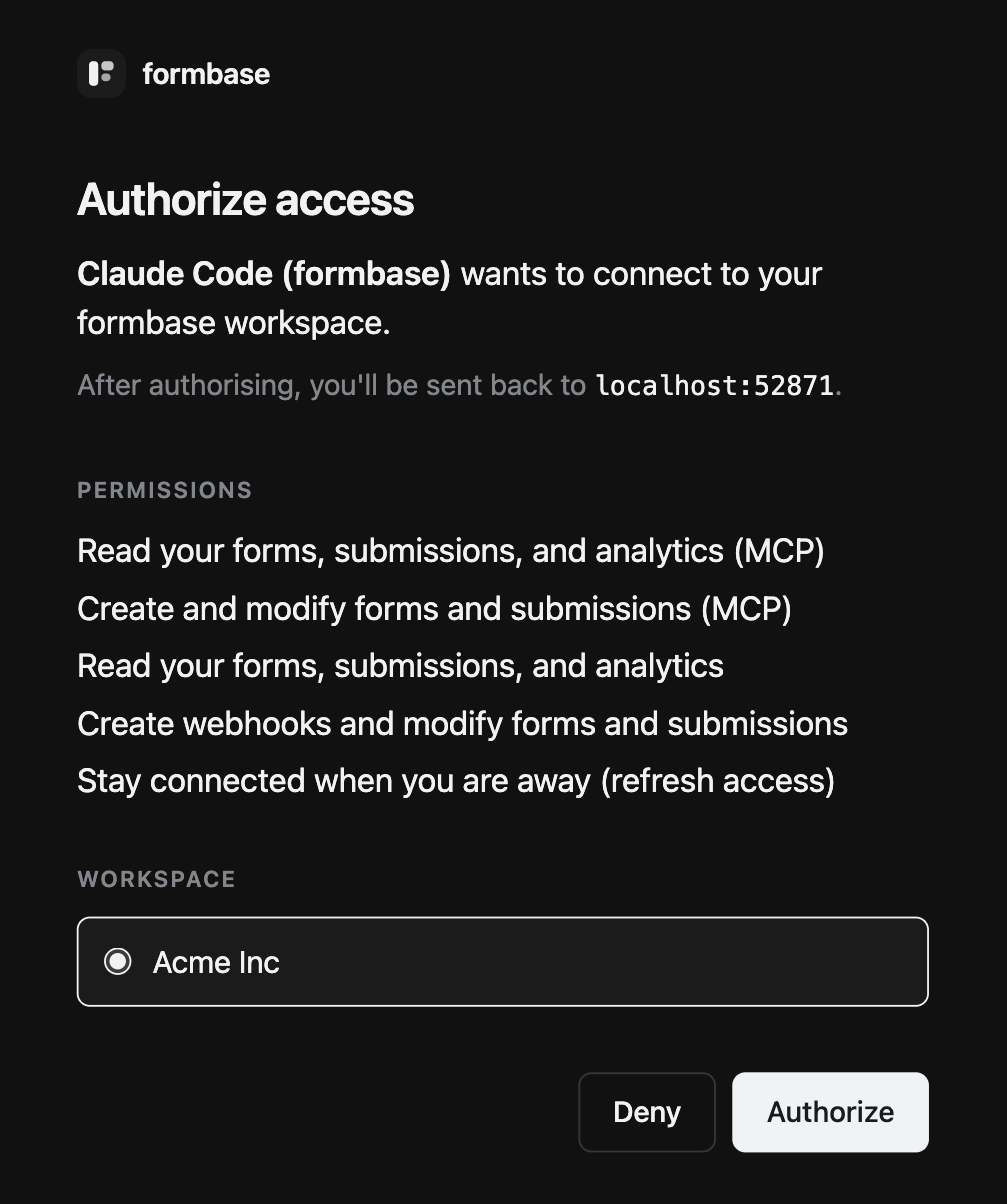
Pick the workspace and click Authorize. The browser returns to your AI tool. The connection reaches that one workspace only; to use another workspace, add formbase to your tool a second time and pick the other one.
3. Check that it works
Ask the agent something only formbase can answer:
List my formbase forms and whether each one is published.The agent calls formbase and answers with the forms in the workspace you picked. Some tools, like Claude Code, first say they are loading tool definitions: formbase offers all its tools at once, and the tool fetches the details of the ones a task needs.
Some actions ask first
Deleting a form, unpublishing it, canceling a request and a few other actions are marked for confirmation, and most AI tools ask you before running them. The prompt comes from your AI tool, so check its own approval settings. The full list is in the MCP server reference.
See or remove the connection
In formbase, open OAuth and API Keys in the workspace sidebar. Your connection is listed under Connected apps, with when it was connected and last used:
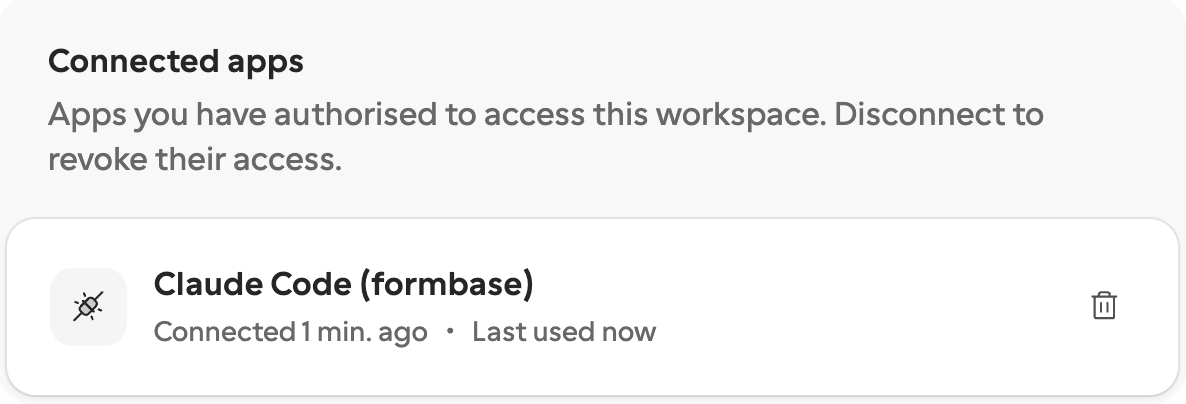
Click the Disconnect button and confirm. The agent loses access at once, and asks you to sign in again the next time it needs formbase.